Installation and Usage Guide
1. Interface and Button Description
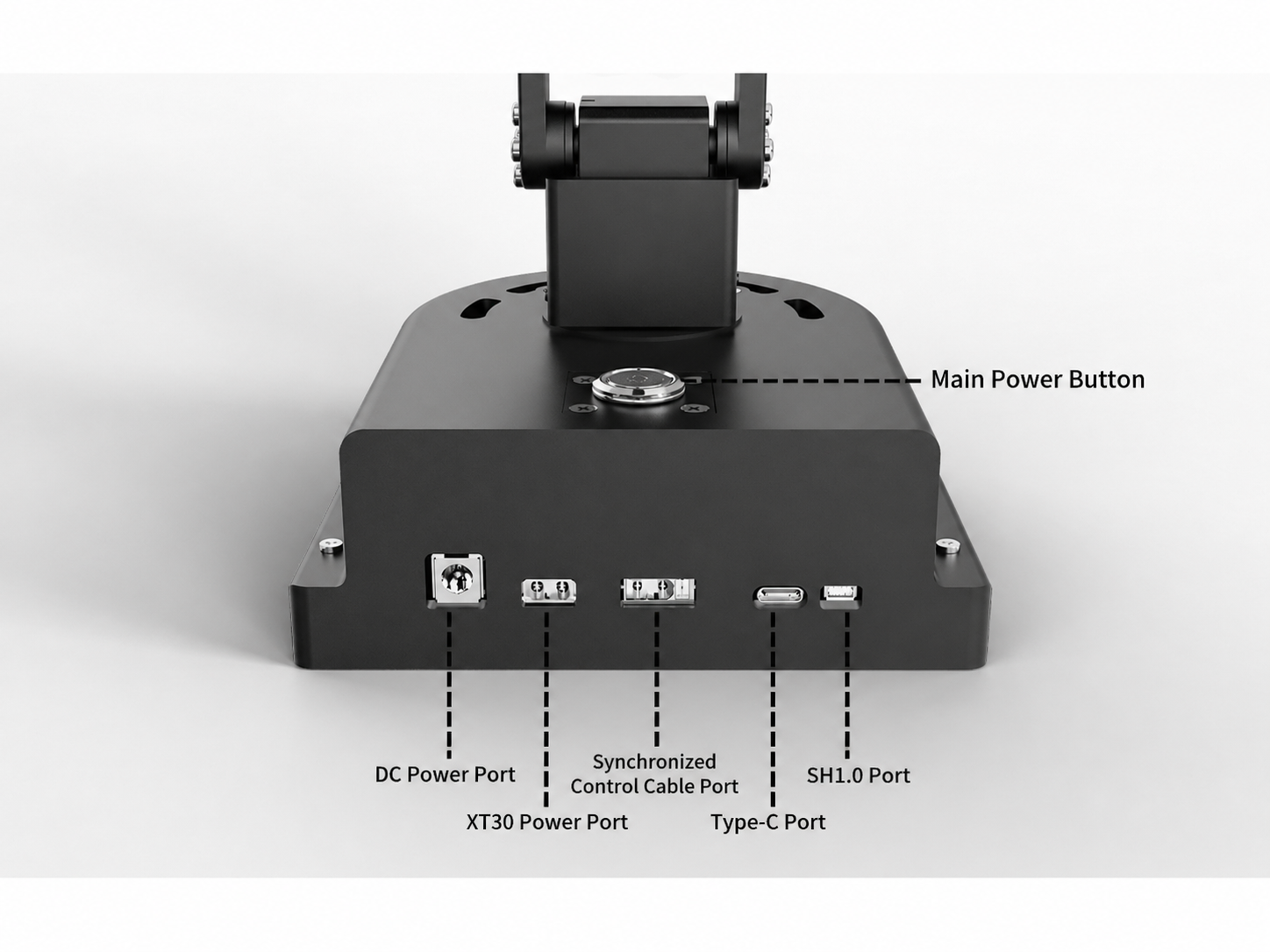
The following diagram shows the interface description for the underside of the Leader Arm:
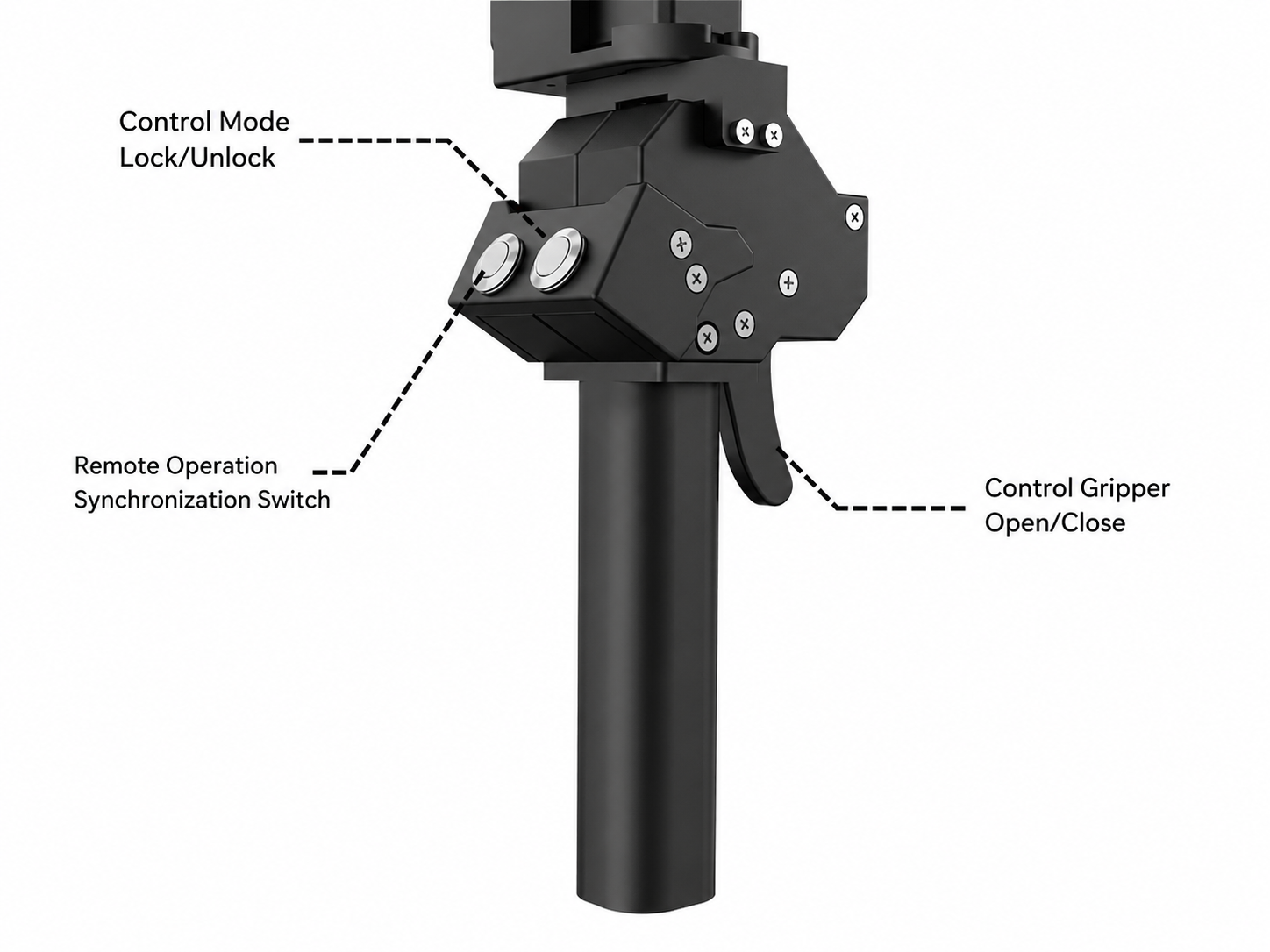
The following diagram shows the buttons on the Leader Arm grip, which include:
-
Teleoperation Sync Switch Button: Controls the teleoperation connection state between the Leader Arm and the Follower Arm. When enabled, the Leader Arm synchronously controls the Follower Arm's movements in real time; when disabled, the teleoperation function is disconnected and the Leader Arm can no longer control the Follower Arm.
-
Pose Lock/Unlock Button: Switches the Leader Arm between free-movement and locked states. When unlocked, the Leader Arm is in a torque-off state and can be manually guided by the operator; when locked, the Leader Arm's pose is fixed and cannot be moved freely.
-
Gripper Open/Close Trigger: Pressing this trigger controls the opening and closing of the gripper at the end of the Follower Arm, enabling grasping or releasing operations.
2. Leader Arm Usage Tutorial
-
If you need to control Xuanya's own Follower Arm, please refer to: Alicia-D Dual-Arm Teleoperation Product Manual;
-
If you intend to use the Leader Arm to control third-party robotic arms, please continue reading the following chapters for relevant configuration and adaptation instructions, and please note: For any third-party equipment used in conjunction with this platform, the after-sales service, repair support, and warranty responsibilities are borne by the respective robotic arm manufacturer. Shenzhen Xuanya Technology Co., Ltd. assumes no related responsibility for such cases.