Model Training
Model training creates a training task from an uploaded and converted data artifact, then configures the model and compute resources before submission.
Training Configuration
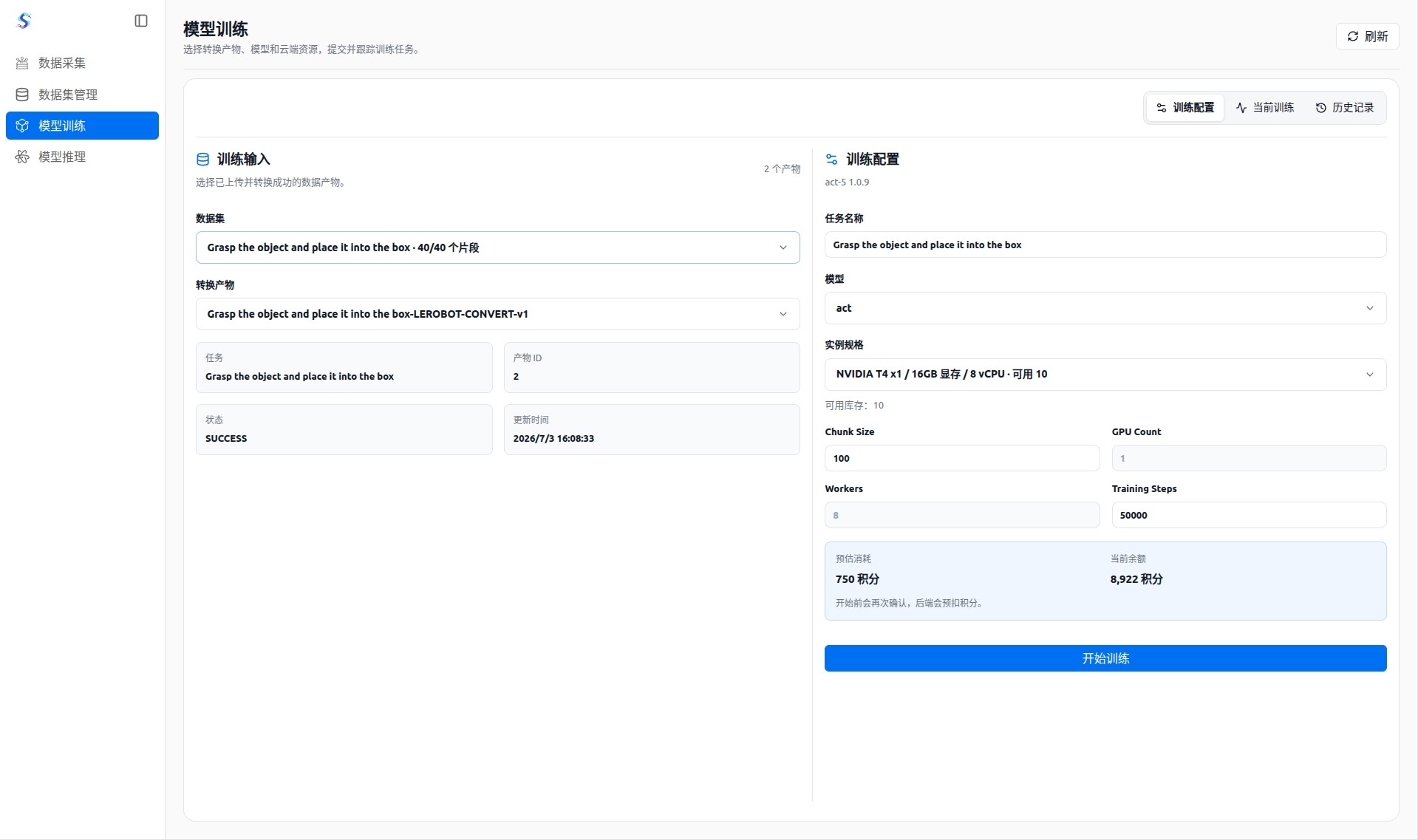
Training configuration confirms the training input, model type, and compute resource:
- Select a training dataset and converted artifact to make sure the input comes from organized data.
- Choose the model type according to the task and configure training parameters.
- When selecting a training specification, view available resources, estimated cost, and current point balance.
- Submit the training task after confirming the configuration.
Current Training
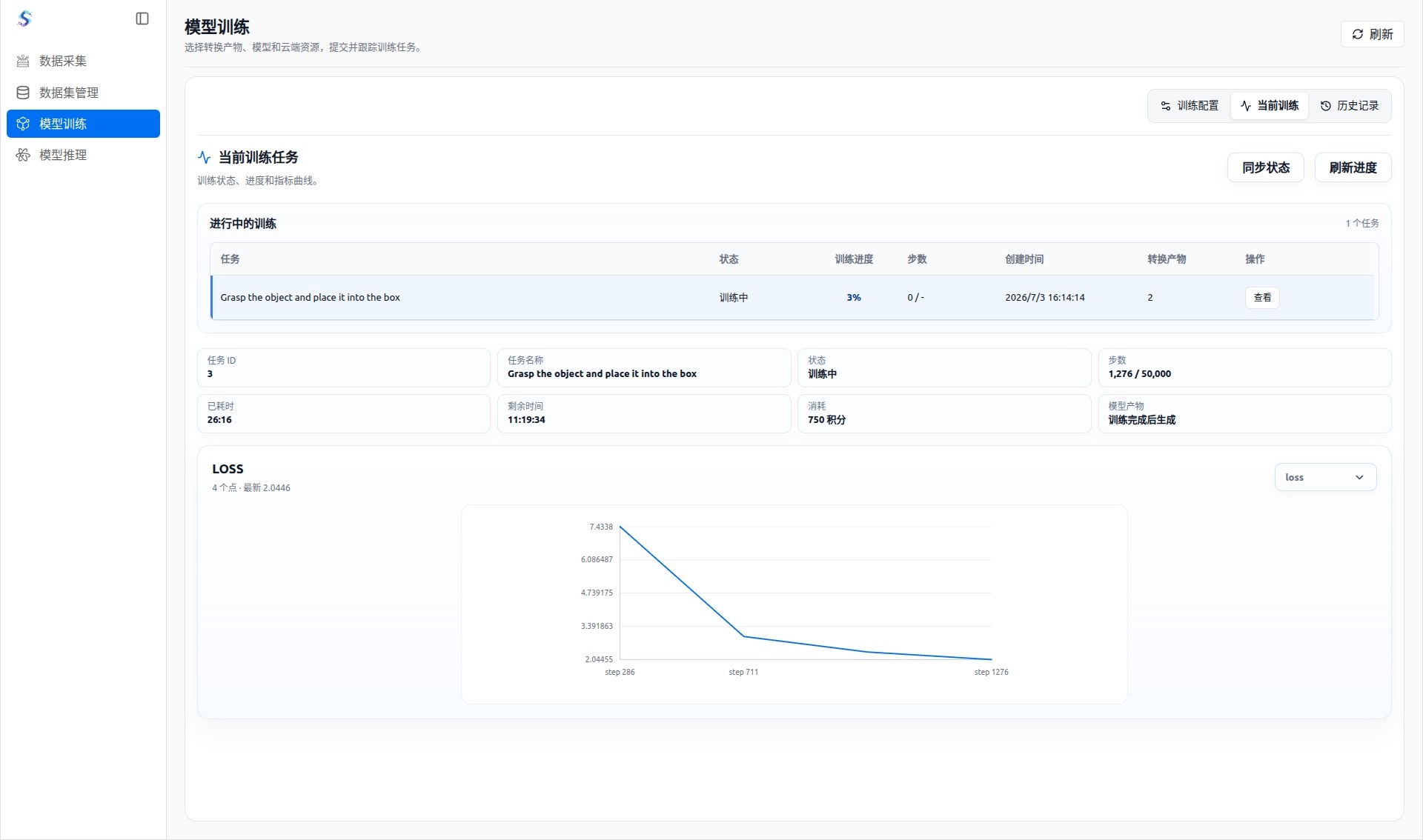
Current training tracks tasks that are running:
- View task status, training progress, and training steps.
- Use the loss curve to observe how the model changes during training.
- Refresh or synchronize the training status to confirm whether the task is still running.
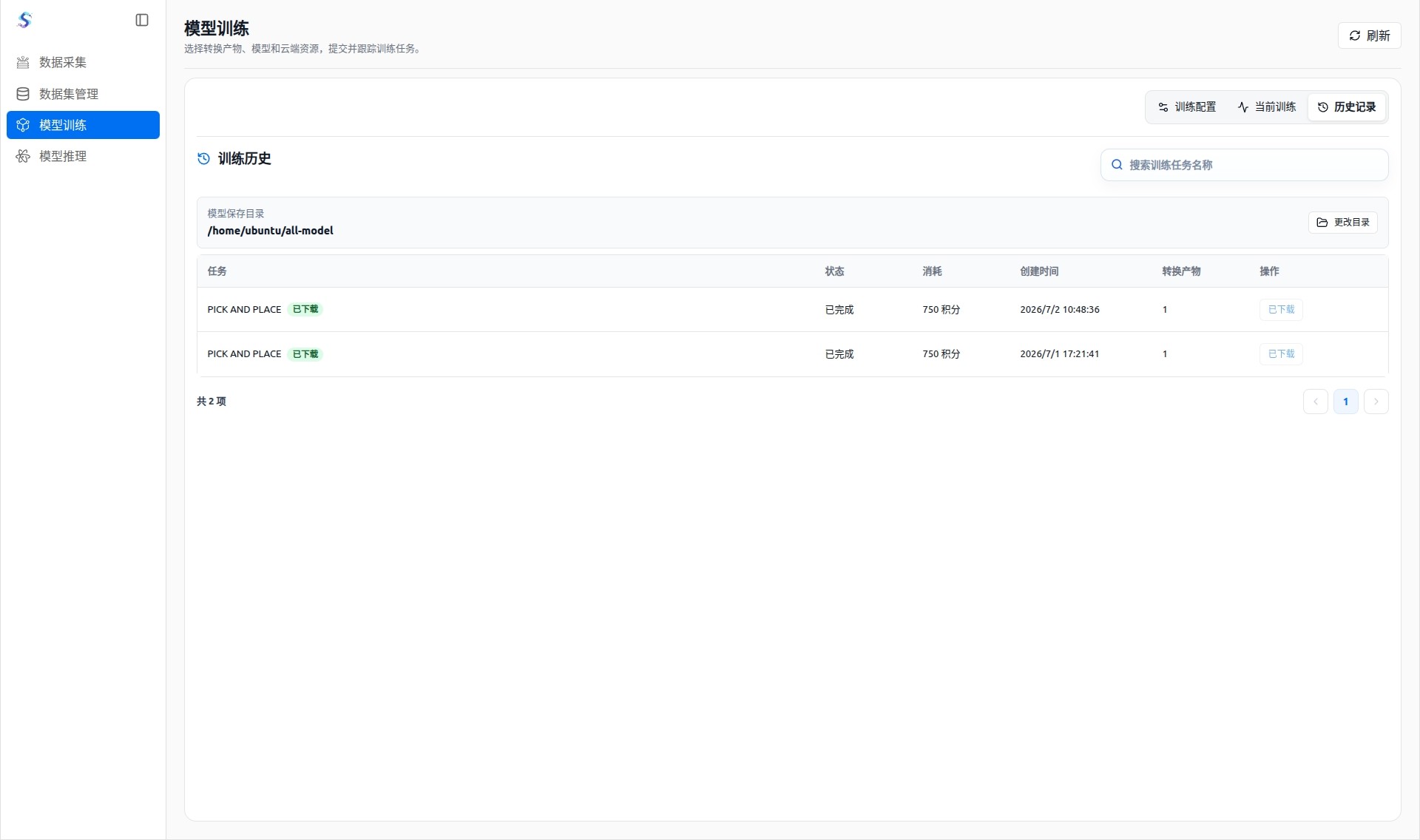
History
History keeps submitted training tasks and training results:
- View the status, configuration, and completion time of historical training tasks.
- Download the trained model files to a local directory after training completes.
- Pause, resume, open the folder, or cancel model download tasks.