Dataset Management
Dataset management organizes the recorded data after collection. It covers local preview, quality assessment, cloud conversion, and Hugging Face publishing, preparing usable data artifacts for model training.
Local Data
Local data manages the recorded segments under the current task:
- View the collected segment list and its upload status.
- Preview camera footage and robotic arm joint data to check data quality.
- Switch between single-column and dual-column layouts to review different numbers of segments.
- Select unsynced data and upload it for later cloud conversion and training. Leaving the page during upload automatically interrupts the upload process.
- Delete invalid segments to keep the dataset clean and usable.
Quality Assessment
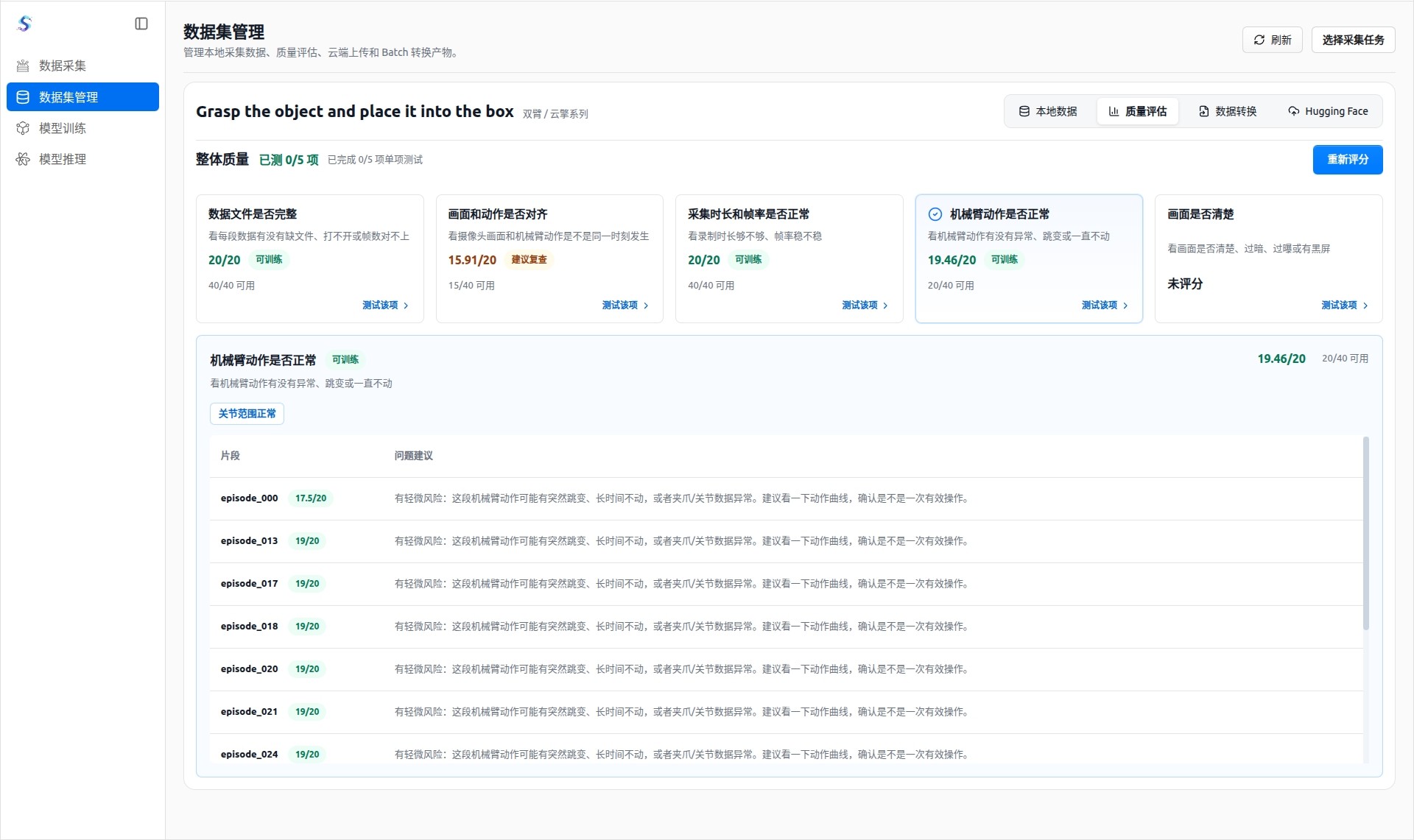
Quality assessment checks whether the data is suitable for training before it moves forward:
- Check whether data files are complete, avoiding missing files, unreadable files, or inconsistent frame counts.
- Check whether camera frames and robotic arm motions are synchronized, reducing training errors caused by time misalignment.
- Check whether duration and frame rate are normal, helping identify segments that are too short, dropped frames, or unstable recording intervals.
- Check whether robotic arm motions are smooth and meaningful, avoiding abnormal jumps or long periods without movement.
- Check whether the image is clear, helping identify dark, overexposed, blurry, or black-screen segments.
Data Conversion
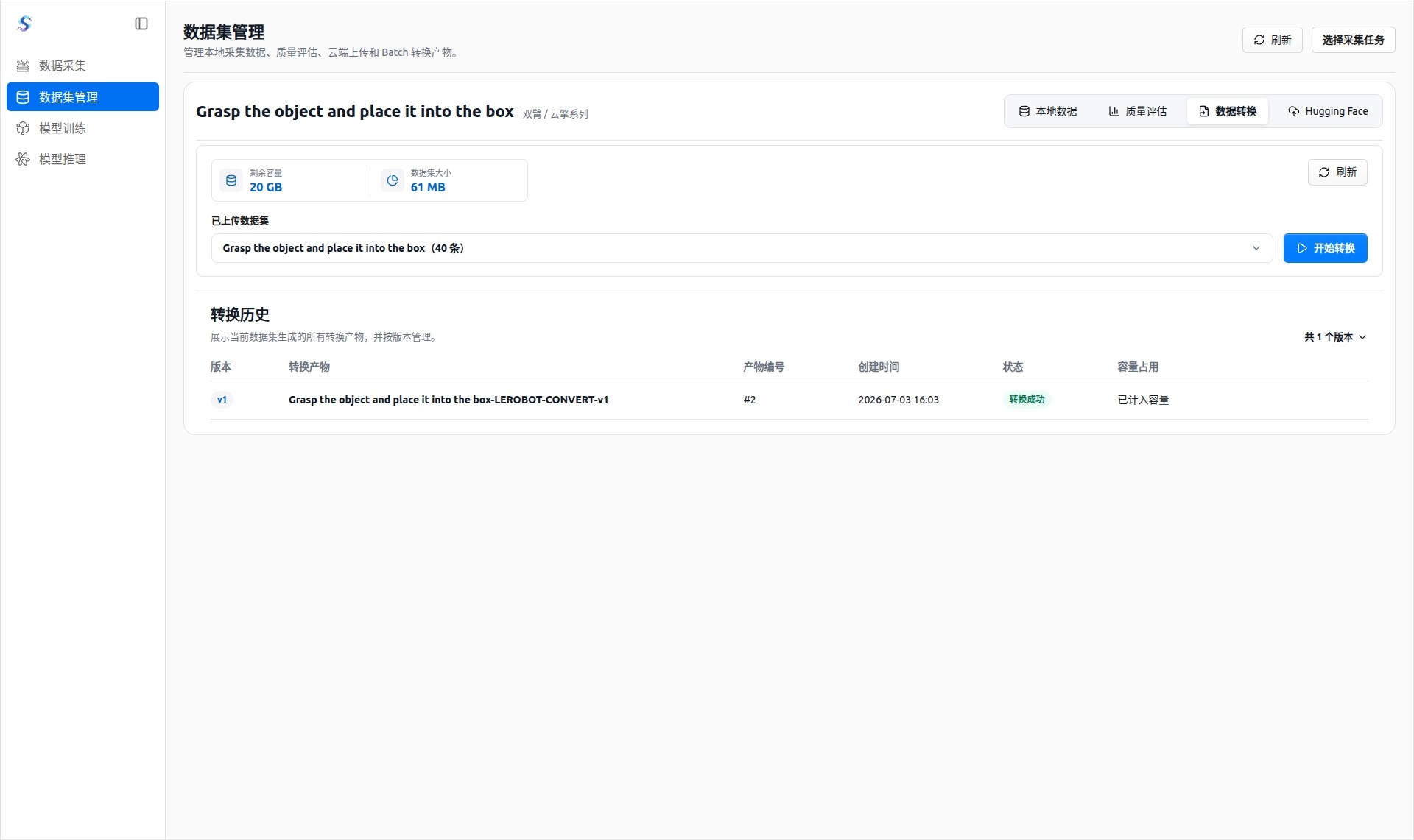
Data conversion turns uploaded datasets into artifacts that can be selected by training tasks:
- Select an uploaded dataset and view its size and remaining capacity.
- After submitting a conversion task, check the version, status, and capacity usage in conversion history.
- A successful conversion creates an artifact that can be used on the model training page.
Hugging Face
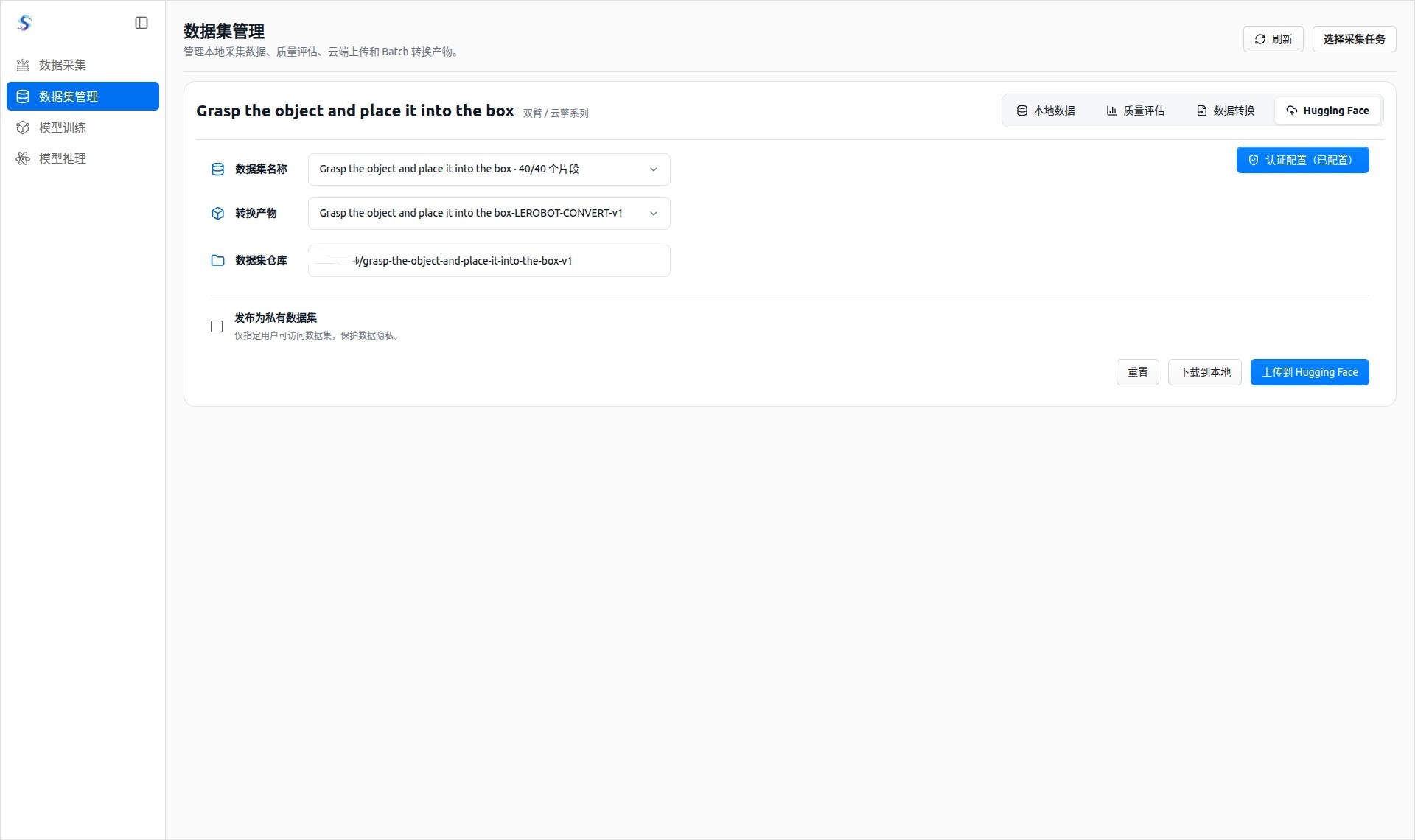
The Hugging Face module supports dataset publishing and local download:
- Configure the username / organization name and access token. The authentication information is stored only on the local machine.
- Select a publishable converted artifact and set the target dataset repository.
- Publish the dataset as a private dataset to protect collected data.
- Download data locally, upload data to Hugging Face, and view processing progress.