Custom URDF and Visualization
This module is suitable for robot model loading, kinematics validation, and custom 3D visualization control.
URDF Loader
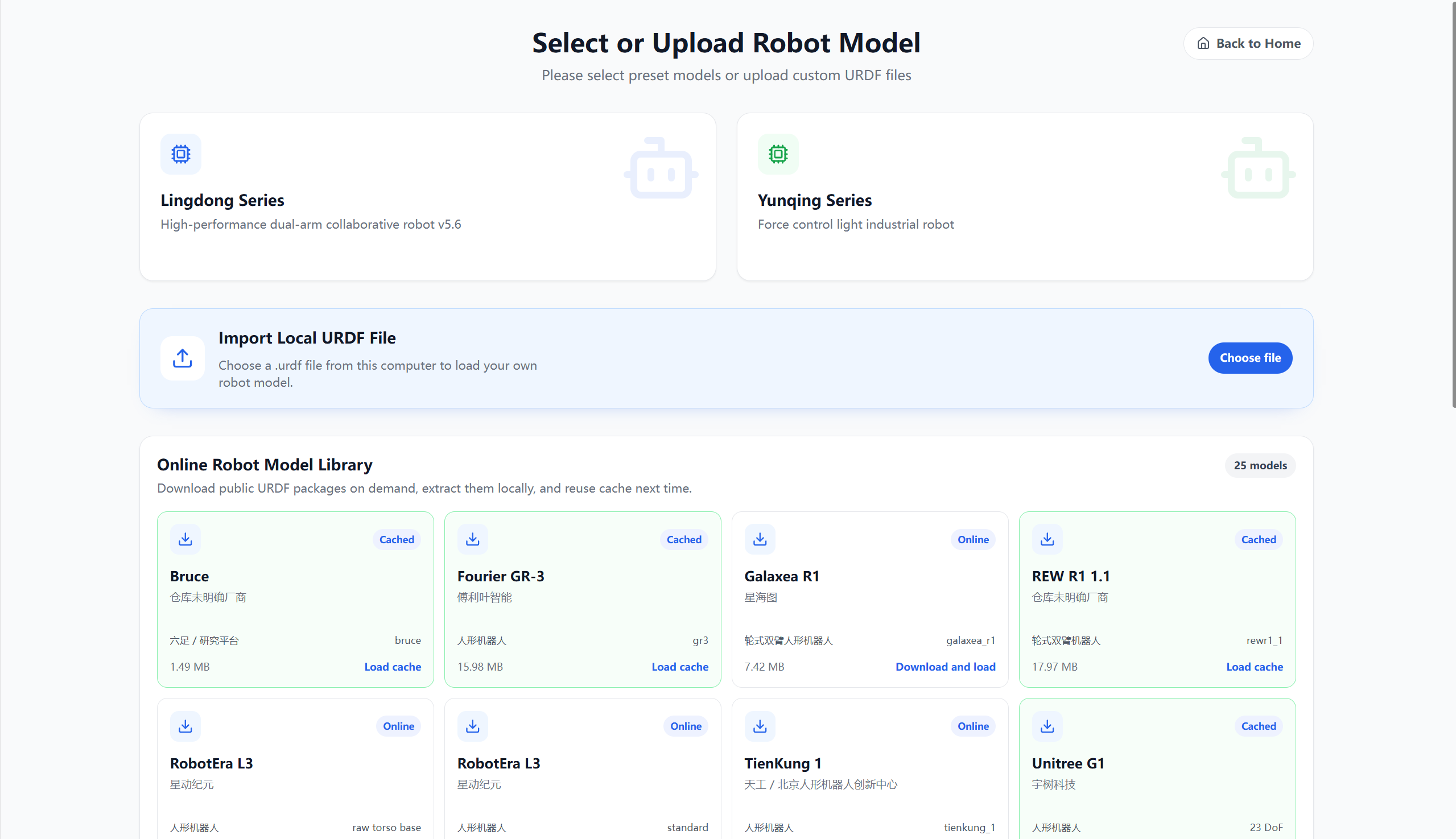
The URDF loader is used to select or import a robot model:
- Preset Series: Provides entries for commonly used robot models in the Alicia-D series and Alicia-M series.
- Local Import: Select a
.urdffile from your computer to load your own robot model. - Online Robot Model Library: Displays public robot models, supporting download and installation to the local cache.
Online models display their current status:
- Cached: The model has been downloaded locally and can be loaded directly from the cache.
- Download Online: The model has not yet been downloaded; you can download it before using it.
- Download and Load: After downloading the model, automatically enter the visualization control page.
After the model loads successfully, it automatically redirects to the SparkVis visualization control page.
Custom Visualization Page
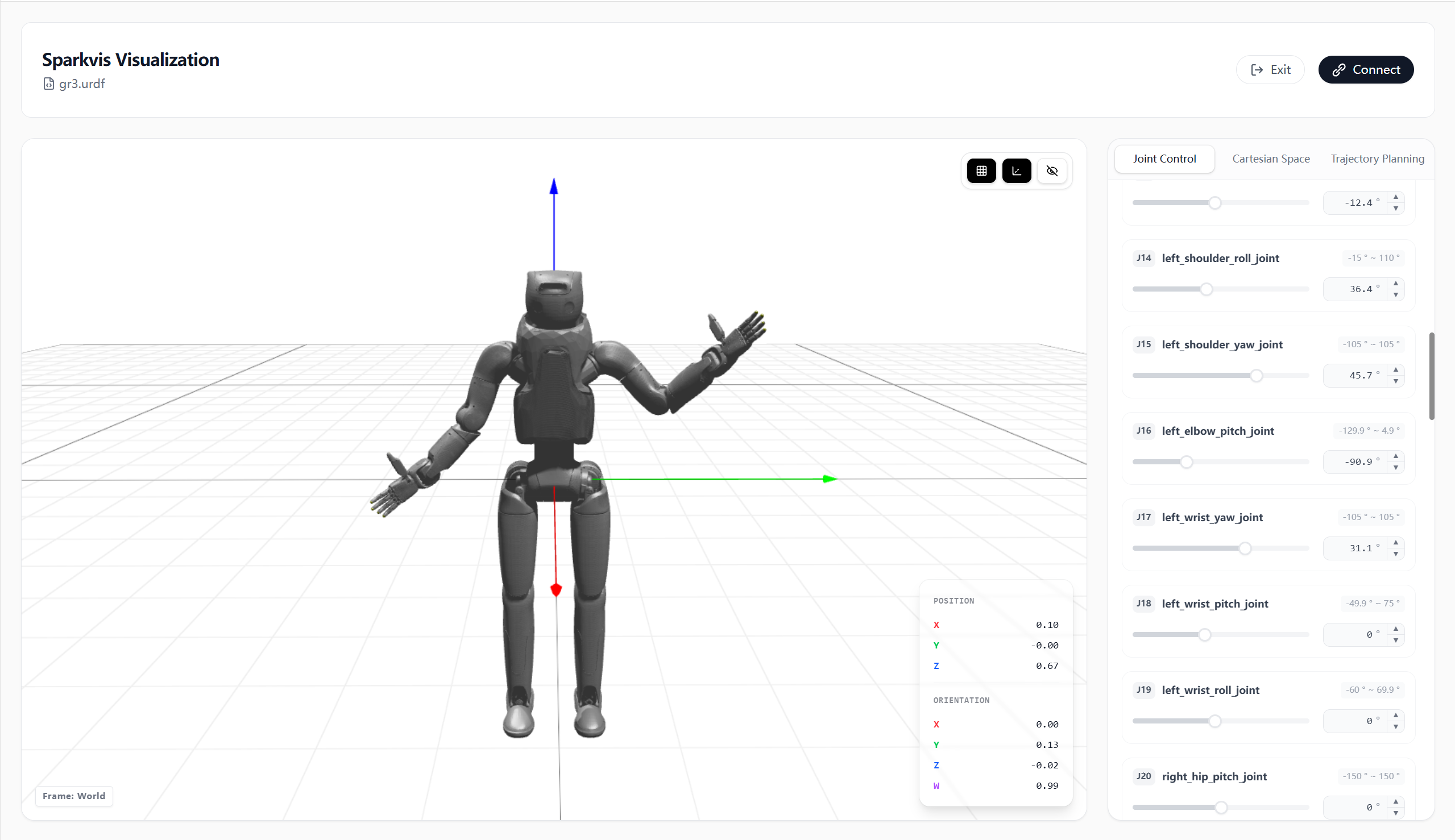
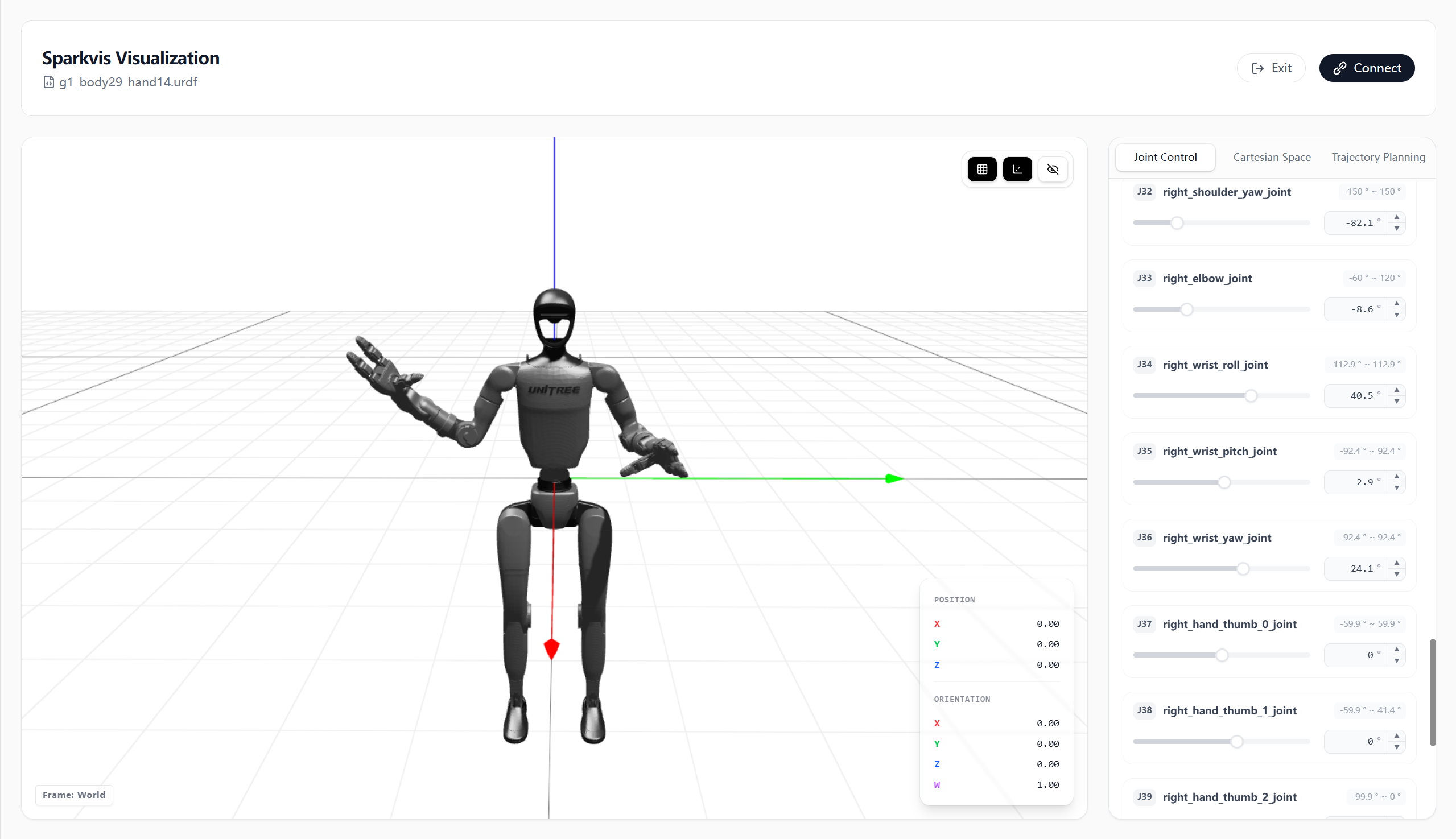
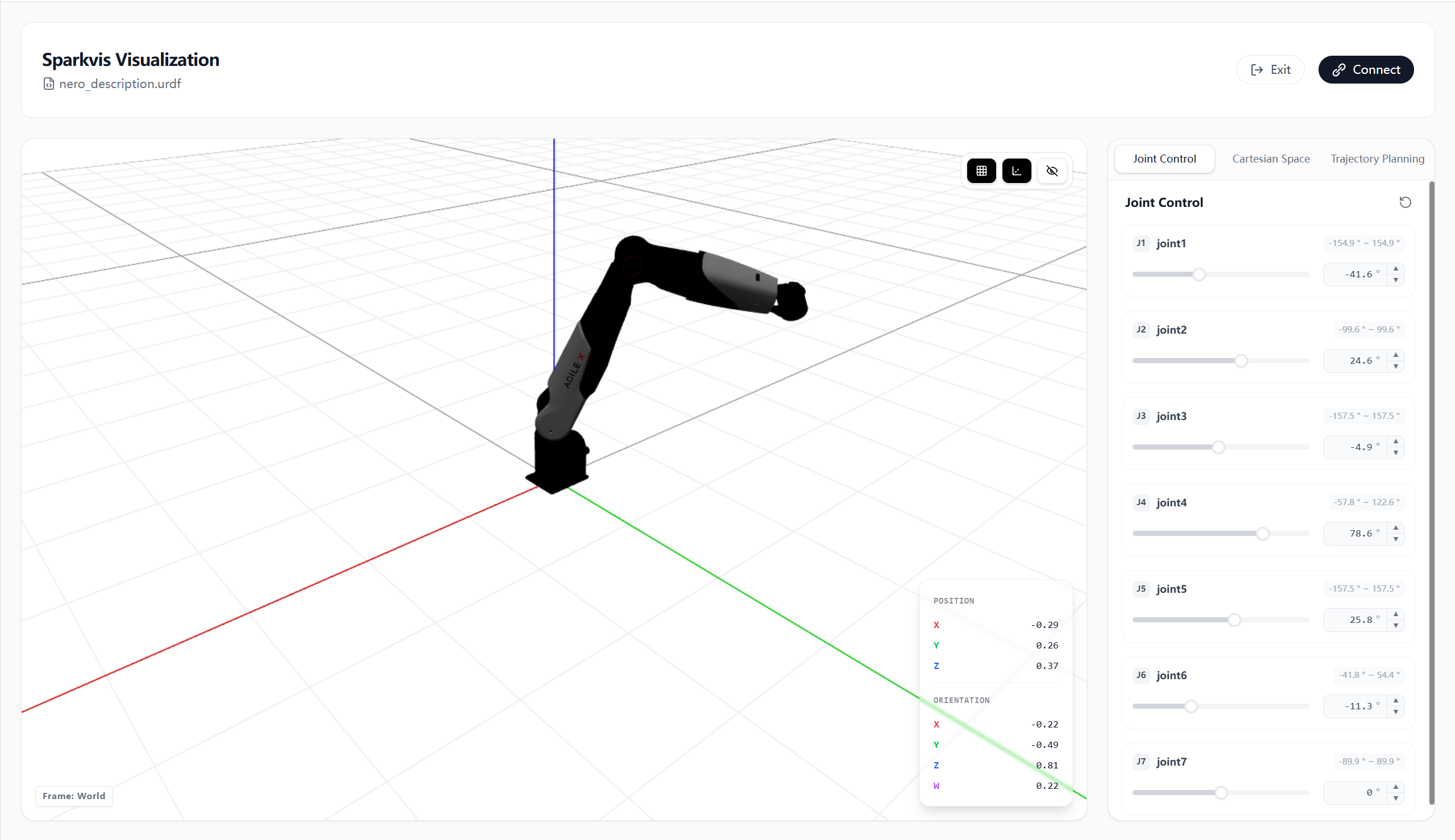
The custom visualization page is used to view and control the currently loaded URDF model:
- Displays the name of the currently loaded
.urdffile. - View the model pose, axes, and reference grid in the 3D view.
- View end-effector coordinate and end-effector pose information.
- Switch between the three tabs: Joint Control, Cartesian Space, and Trajectory Planning.
- Supports adjusting joint angles to validate the model's joint limits and motion effects.
- Supports exiting the current model, or connecting to a real device in supported scenarios.