Data Collection
Data collection prepares and records demonstration data, including task management, device connection setup, and real-time operation recording. The recorded segments become the data used for later training.
Select Task
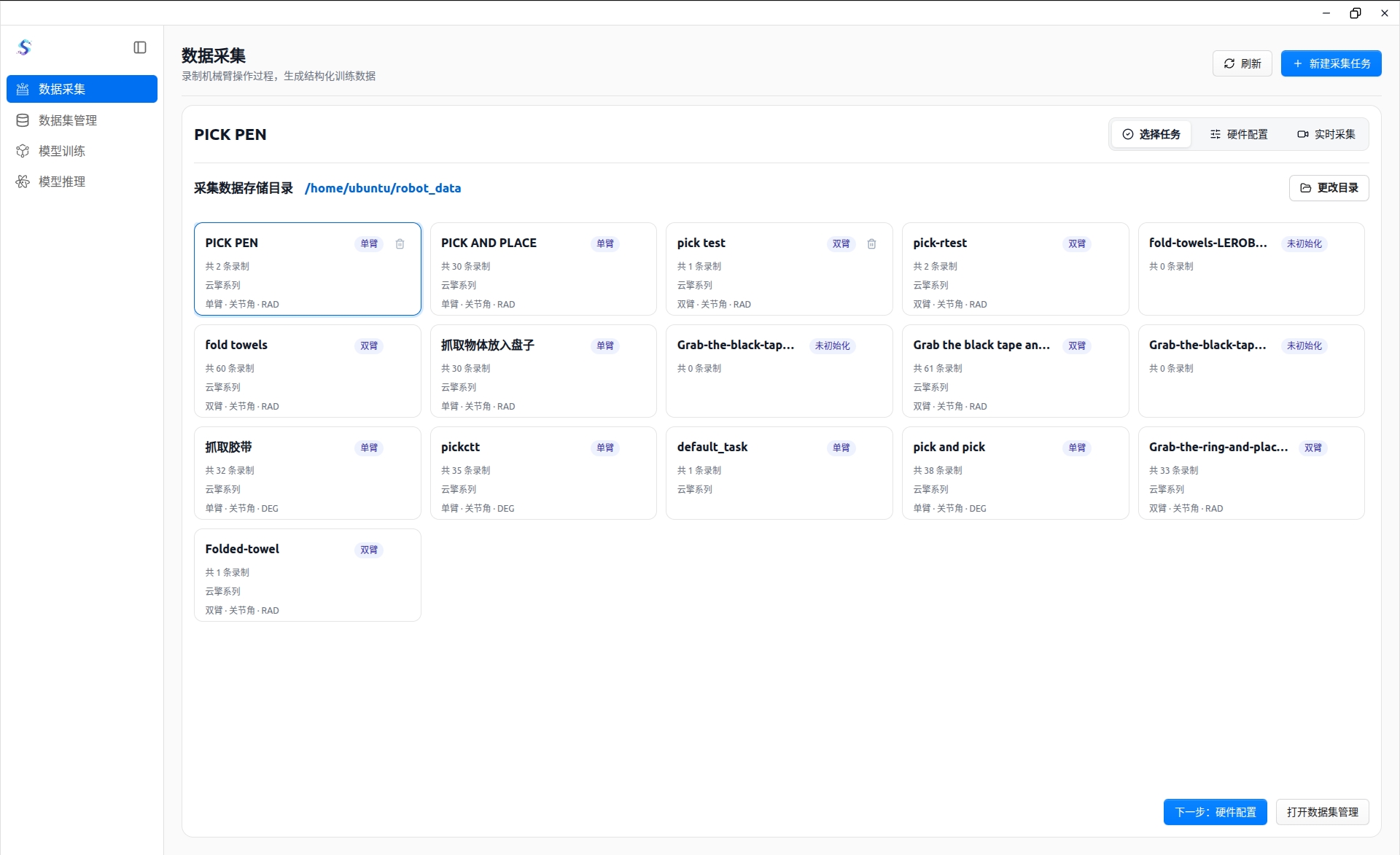
The task selection step determines where the collected data is stored and what type of task will be recorded:
- Choose a local storage directory to keep collection tasks and data files organized.
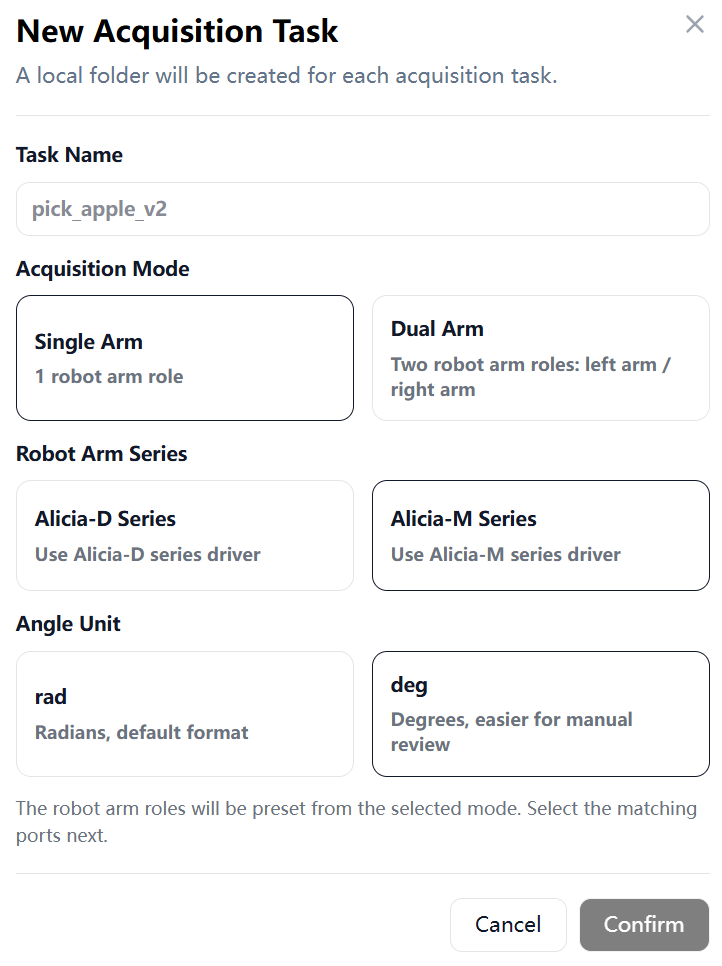
- Create a new collection task, and configure the single-arm / dual-arm mode, robotic arm series, and angle unit.
- Open an existing task to continue collecting data or manage its recorded segments.
Hardware Setup
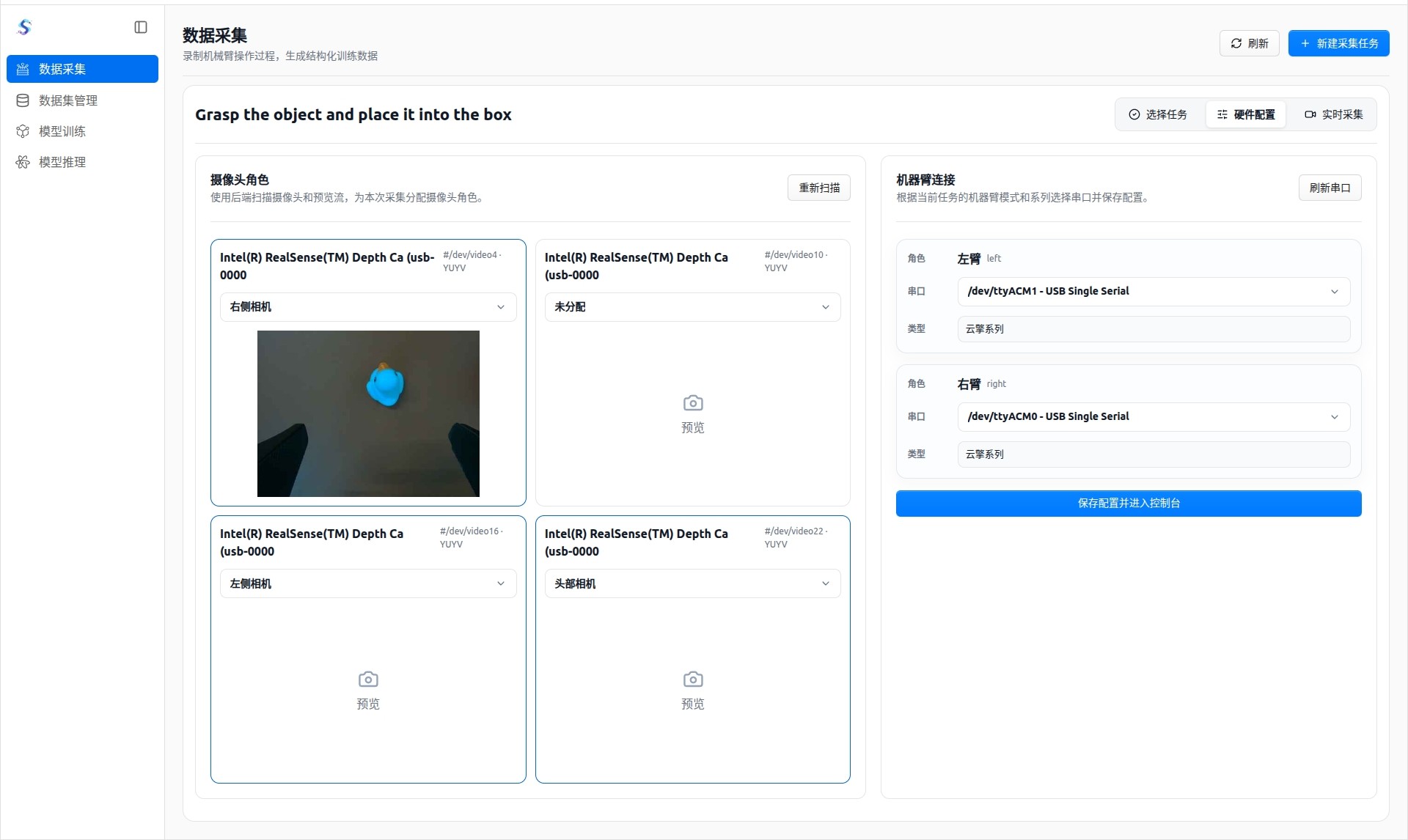
Hardware setup confirms the connection between cameras and robotic arms before recording starts:
- Scan cameras and assign a role to each camera view.
- Scan robot serial ports and assign the corresponding robotic arm role.
- Save the setup and enter the real-time collection page, reducing repeated configuration before each collection session.
Real-Time Collection
The real-time collection page records the complete robot demonstration process:
- View live camera feeds and confirm the camera angle and collection status.
- Start, stop, save, or discard each recorded segment.
- During recording, the page shows duration, frame rate, data size, and other status information.
- Keyboard shortcuts can assist repeated recording and improve collection efficiency.