Gripper Control
Gripper control is designed for Gloria-M gripper debugging and control. Users can connect the gripper, view motor feedback, switch between PV and MIT control modes, adjust opening position and motion parameters, read gripper parameters, and scan CAN IDs.
Page Preview
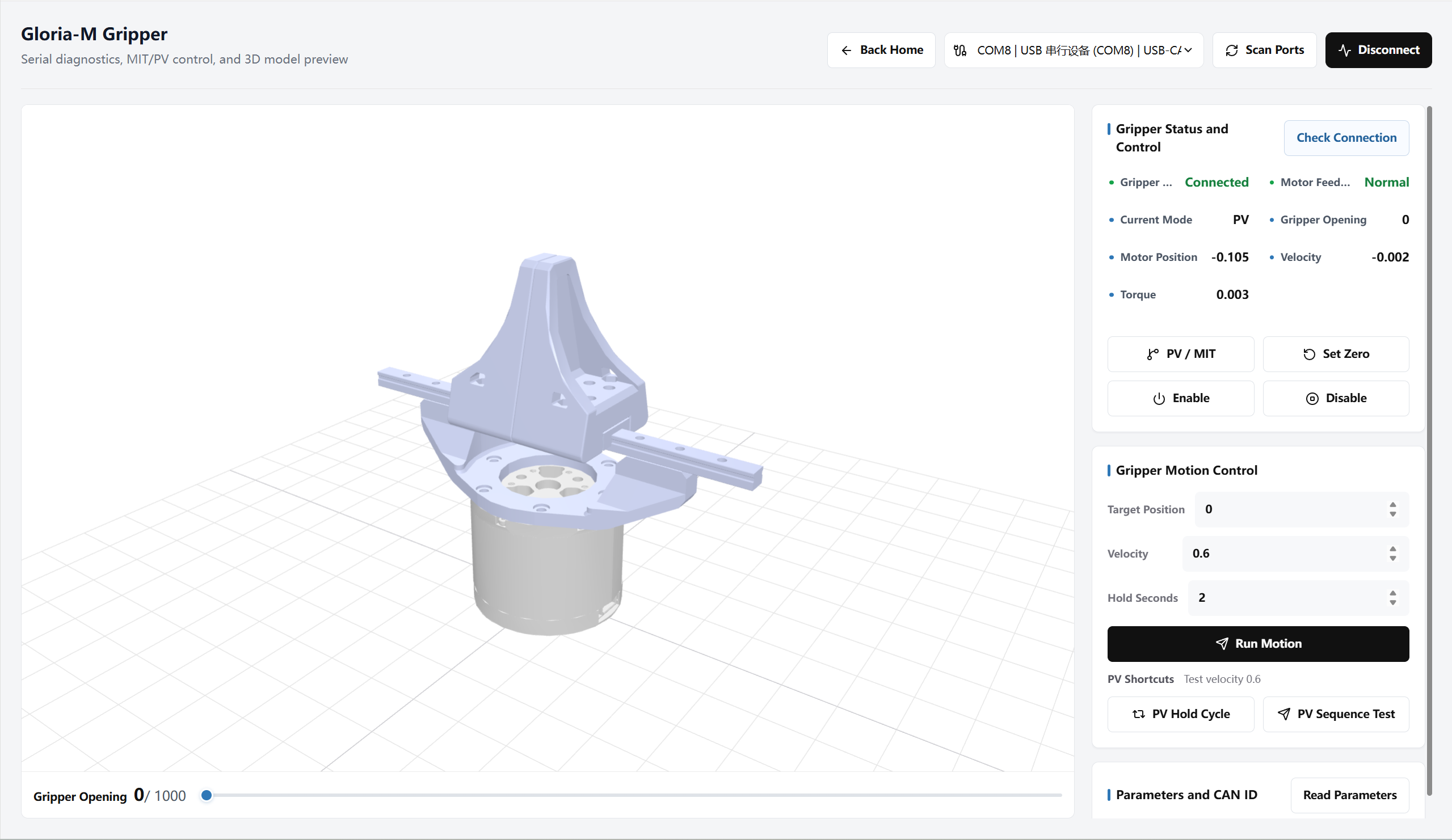
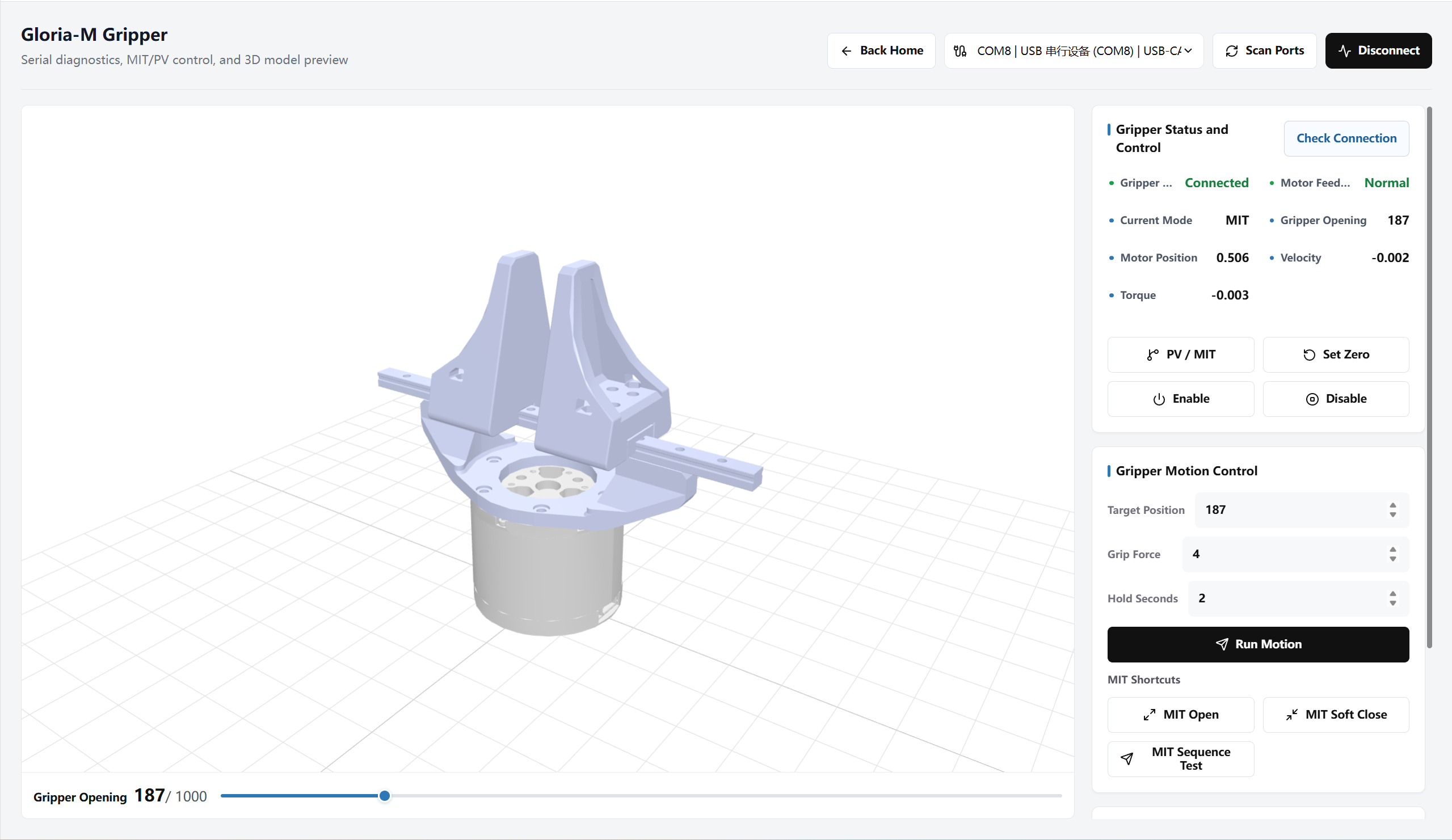
The left side of the page shows a 3D preview of the Gloria-M gripper, while the right side contains connection status, control buttons, motion parameters, and parameter reading tools.
- The 3D model changes with the current opening value, making the gripper position easier to understand.
- The bottom slider adjusts the target opening range from
0 - 1000. - When the gripper is not connected, the slider can still preview the gripper opening and closing effect.
- When the gripper is not connected, the page shows all adjustable parameters and action buttons for both PV and MIT modes.
- After connection, the page displays opening, torque, and motion status based on feedback data.
- After connecting to the real gripper, the gripper model color becomes darker as torque increases, making grip force changes easier to recognize.
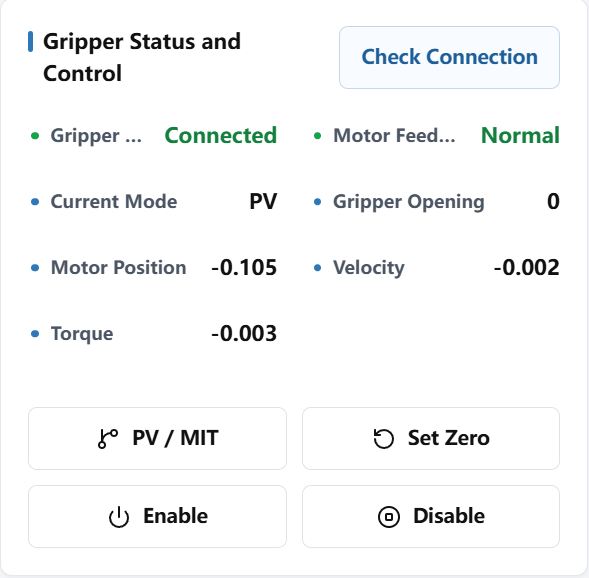
Gripper Status and Control
The gripper status and control area establishes communication, shows device feedback, and provides the basic controls used before running motion commands.
- Scan serial ports and select the current gripper.
- Click Connect Gripper to read gripper status and establish real-time communication.
- Click Detect Connection to check whether CAN communication and motor feedback are normal.
- The status area shows connection status, motor feedback, current mode, opening, motor position, velocity, and torque.
- PV / MIT Switch: Switch between the two control modes.
- Set Current Zero: Set the current gripper position as zero.
- Enable / Disable: Put the gripper into a controllable state under the current mode, or stop the current control output.
Motion Control
Motion control sets the gripper target and runs actions under the current PV / MIT mode. The target position range is 0 - 1000, where a larger value means a larger opening.
PV Mode
PV mode controls gripper opening and closing by position and velocity. Users mainly set target position, velocity, and hold time, and the gripper moves to the target opening at the specified speed.
- Target Position: Set the opening value the gripper should reach.
- Velocity: Set the gripper motion speed, ranging from
0.05 - 10. - Hold Seconds: Set how long the gripper holds after reaching the target.
- Click Apply Current Parameters to move the gripper with the current PV parameters.
- PV Open-Close-Hold quickly runs opening, closing, and holding actions.
- PV Fixed Sequence Test runs the sequence fully open, half open, closed, half open, and fully open.
MIT Mode
MIT mode controls opening and closing with grip force. Users mainly set target position, grip force, and hold time, and the page sends the gripper action based on the current parameters.
- Target Position: Set the position where the gripper should open or close.
- Grip Force: Set the grip strength, ranging from
1 - 10. - Hold Seconds: Set how long the gripper holds after reaching the target.
- Click Apply Current Parameters to run the gripper action with the current MIT parameters.
- MIT Open quickly opens the gripper.
- MIT Soft Close uses the force parameter during closing.
- MIT Fixed Sequence Test runs the sequence fully open, half open, closed, half open, and fully open.
Parameters and CAN ID
The Parameters and CAN ID area reads internal gripper parameters and helps troubleshoot communication ID mismatches.
- Click Read Parameters to read the current gripper parameters.
- The parameter list shows the current CAN ID and grip-related parameters.
- ID scanning accepts a range or multiple IDs, such as
1-10or0x01,0x02; after a valid ID is found, use that ID to read the parameters again.